Answer
Dec 30, 2025 - 11:36 AM
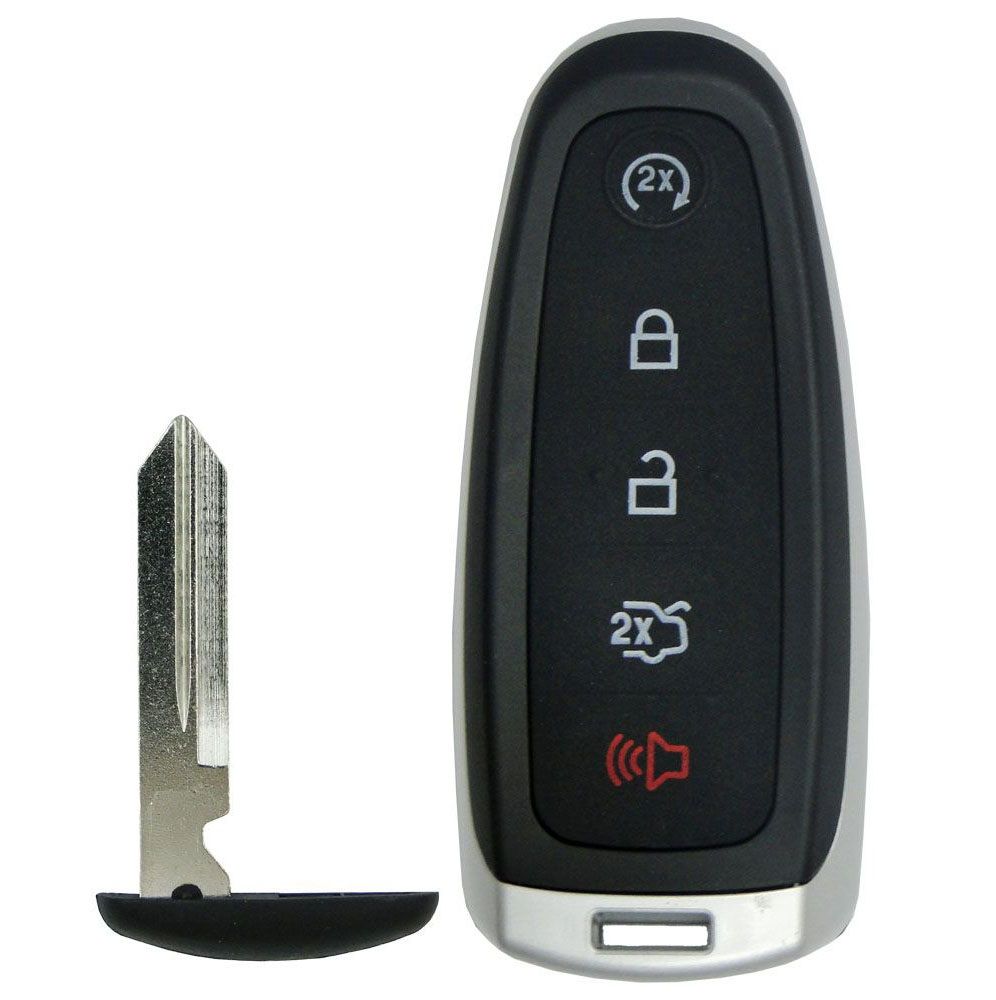
If you have two working remotes for your car, you can program this new key fob by yourself (scroll down for the programming instructions). If you do not have two working transmitters, this smart remote must be professionally programmed when received by a local automotive locksmith (click here for Locksmith Search ). We do not recommend going to a dealer, as they may decline programming an aftermarket remote for you. Emergency insert key also needs to be cut.
DIY PROGRAMMING INSTRUCTIONS:
You must have two previously programmed intelligent access keys inside the vehicle and the new unprogrammed intelligent access keys readily accessible. If two previously programmed keys are not available, you must take your vehicle to an automotive locksmith to have the spare key(s) programmed.
Ensure that the vehicle is off before beginning this procedure. Ensure that all doors are closed before beginning this procedure and that all doors remain closed throughout the procedure. Perform this procedure exactly as described below, and perform all steps within 30 seconds of starting the sequence. If any steps are performed out of sequence, stop and wait for at least one minute before starting again.
1. Place the new unprogrammed intelligent access key in the pocket inside of the center console.
2. Press the driver or passenger power door unlock control three times.
3. Press and release the brake pedal one time.
4. Press the driver or passenger power door lock control three times.
5. Press and release the brake pedal one time. The indicator on the Start/Stop button should begin to rapidly flash, indicating that programming mode has been entered and two programmed intelligent access keys have been detected in the vehicle.
6. Within one minute, press the Start/Stop button. A message will be displayed on the message center indicating that the new intelligent access key was programmed. If four intelligent access keys have already been programmed to your vehicle, you cannot program anymore and the message MAX # OF KEYS LEARNED will be displayed on the message center.
7. Remove the intelligent access key from the center console pocket and press the unlock button on the newly programmed intelligent access keys to exit programming mode.
8. Verify that the remote entry functions operate (press lock then unlock, making sure you end in unlock) and that the vehicle starts with new intelligent access key. If the intelligent access key has been successfully programmed, it can be used to activate the intelligent access with push button Start feature and can be used to start your vehicle.
DIY PROGRAMMING INSTRUCTIONS:
You must have two previously programmed intelligent access keys inside the vehicle and the new unprogrammed intelligent access keys readily accessible. If two previously programmed keys are not available, you must take your vehicle to an automotive locksmith to have the spare key(s) programmed.
Ensure that the vehicle is off before beginning this procedure. Ensure that all doors are closed before beginning this procedure and that all doors remain closed throughout the procedure. Perform this procedure exactly as described below, and perform all steps within 30 seconds of starting the sequence. If any steps are performed out of sequence, stop and wait for at least one minute before starting again.
1. Place the new unprogrammed intelligent access key in the pocket inside of the center console.
2. Press the driver or passenger power door unlock control three times.
3. Press and release the brake pedal one time.
4. Press the driver or passenger power door lock control three times.
5. Press and release the brake pedal one time. The indicator on the Start/Stop button should begin to rapidly flash, indicating that programming mode has been entered and two programmed intelligent access keys have been detected in the vehicle.
6. Within one minute, press the Start/Stop button. A message will be displayed on the message center indicating that the new intelligent access key was programmed. If four intelligent access keys have already been programmed to your vehicle, you cannot program anymore and the message MAX # OF KEYS LEARNED will be displayed on the message center.
7. Remove the intelligent access key from the center console pocket and press the unlock button on the newly programmed intelligent access keys to exit programming mode.
8. Verify that the remote entry functions operate (press lock then unlock, making sure you end in unlock) and that the vehicle starts with new intelligent access key. If the intelligent access key has been successfully programmed, it can be used to activate the intelligent access with push button Start feature and can be used to start your vehicle.